The project notebook
Buying restaurant furniture: the decisions that make a complete purchase record
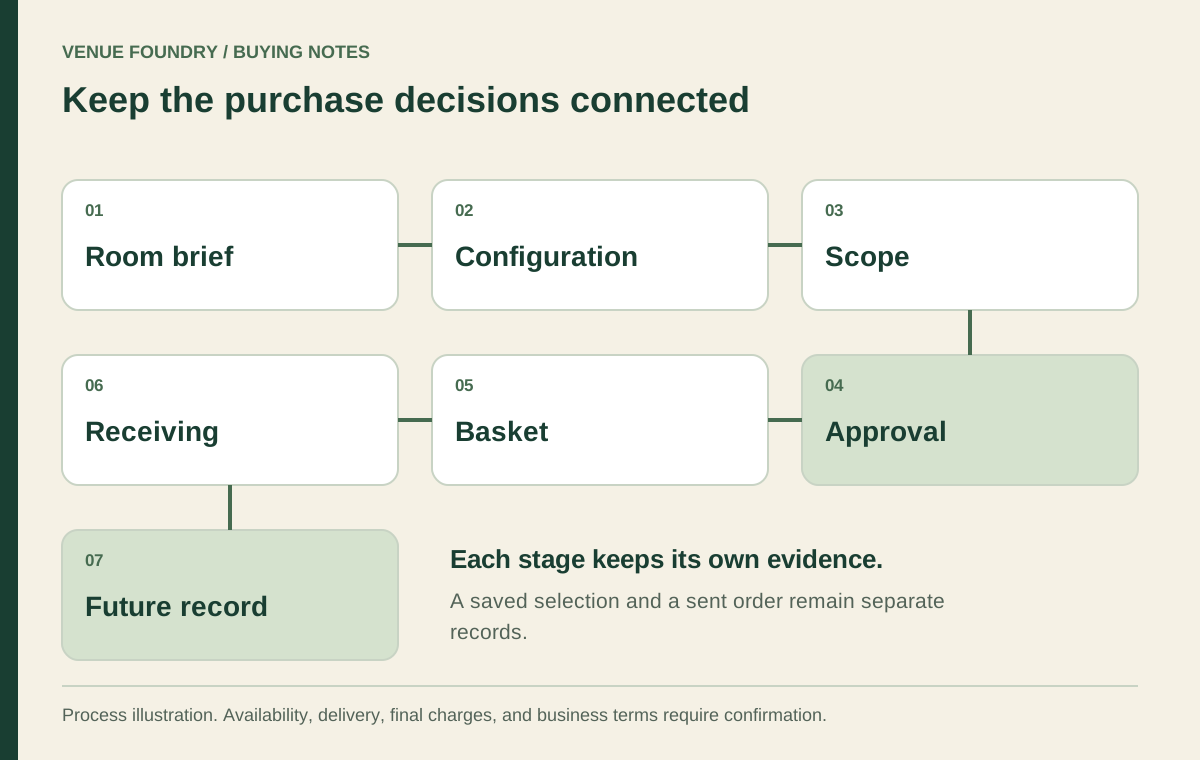
Buying restaurant furniture involves a sequence of connected decisions. The room brief defines what is needed, the configuration identifies the selected version, and the commercial review establishes what the purchase includes. Keeping those stages readable gives the team a better record than a spreadsheet containing only product names and prices.
Begin with the current project scope. Identify the rooms, opening phase, and furniture categories included in this purchase. Later additions and alternative schemes can remain useful planning records, but they should be distinguishable from the selection that will actually be sent for review.
Open diagram at full size (new tab) ↗
Establish the room brief before the shopping list
Describe the service activity in each area and connect it to the measured plan. A counter, main dining room, private space, and patio can share a visual direction while requiring different products. The venue-type guide helps translate those activities into a selection brief.
Use the furniture directory to identify the relevant product groups. Check whether the project requires complete tables or separate components, standard-height seating or stools, and indoor or outdoor pieces. A broad seating total should not hide those distinctions.
Retain the plan revision and unresolved site questions alongside the brief. The purchasing record supports the layout process; it does not establish occupancy or replace a qualified review. A product should not enter the final count merely because there is unused space in a preliminary drawing.
Build a complete configured line
Open the product page and select the offered dimensions, materials, or finishes. Complete any required price check before saving. The SKU identifies the model, while the chosen controls identify the version whose amount is being considered.
The October 17, 2026 record for chair FRU-100-CV included wood, padded-vinyl, and padded-fabric seat branches. A note saying preferred upholstery cannot replace those selected controls. Keep a different configuration on a separate line so its price and quantity remain clear.
Review materials guidance when deciding whether an option reference needs a separate physical approval. A selected thumbnail helps identify the choice, but it does not establish an exact match under the venue's lighting. Keep that separate decision in the approval record.
Check the supplied unit and component scope
Read whether the amount applies to an item, a set, or a component. The distinction matters before multiplication. A quantity of one may not mean one individual piece when the listing states a set.
For example, the dated FRU-209103-SGLPL-BAR record describes a set of two booth pieces. Its unit must be retained in the schedule. Do not convert the product photograph into an assumption that a table or another surrounding piece is supplied too.
The table system guide explains the same issue for separately sold tops and bases. Confirm the intended pairing and included parts. A complete-looking plan can still have an incomplete purchasing list if one component has been omitted.
Keep confirmed amounts and allowances distinct
Save the selections by room in the budget planner. Review each subtotal before the project total. The room budget guide shows how this grouping makes a missing line or changed quantity easier to locate.
Product amounts should remain separate from unconfirmed freight, tax, installation, and other charges. If the venue needs a provisional allowance, identify it as an assumption and record who will replace it with a confirmed amount. An allowance is useful planning information when its status is explicit.
Give that allowance a review date as well as an owner. When an actual amount becomes available, retain the reason for the change. Otherwise, a later reviewer may mistake an old planning placeholder for a current supplier figure.
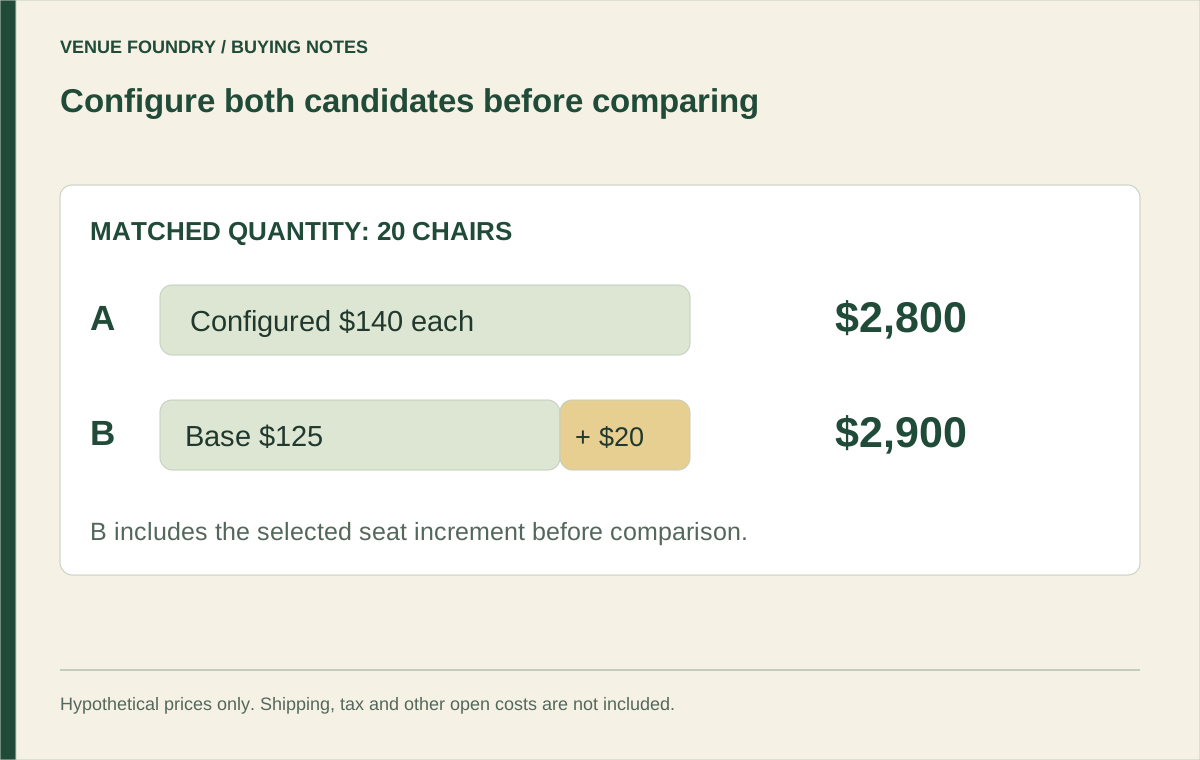
Compare alternatives with the same commercial scope. A low total that omits bases or receiving work is not directly comparable with a more complete total. Keep the differences visible so the team can decide whether they are intentional or simply unanswered.
Give approval a precise meaning
Identify what each reviewer is accepting. The designer may approve the finish relationship, the operator may accept the proposed service arrangement, and the buyer may review the purchasing scope. A single approved label can conceal unfinished decisions if its meaning is not stated.
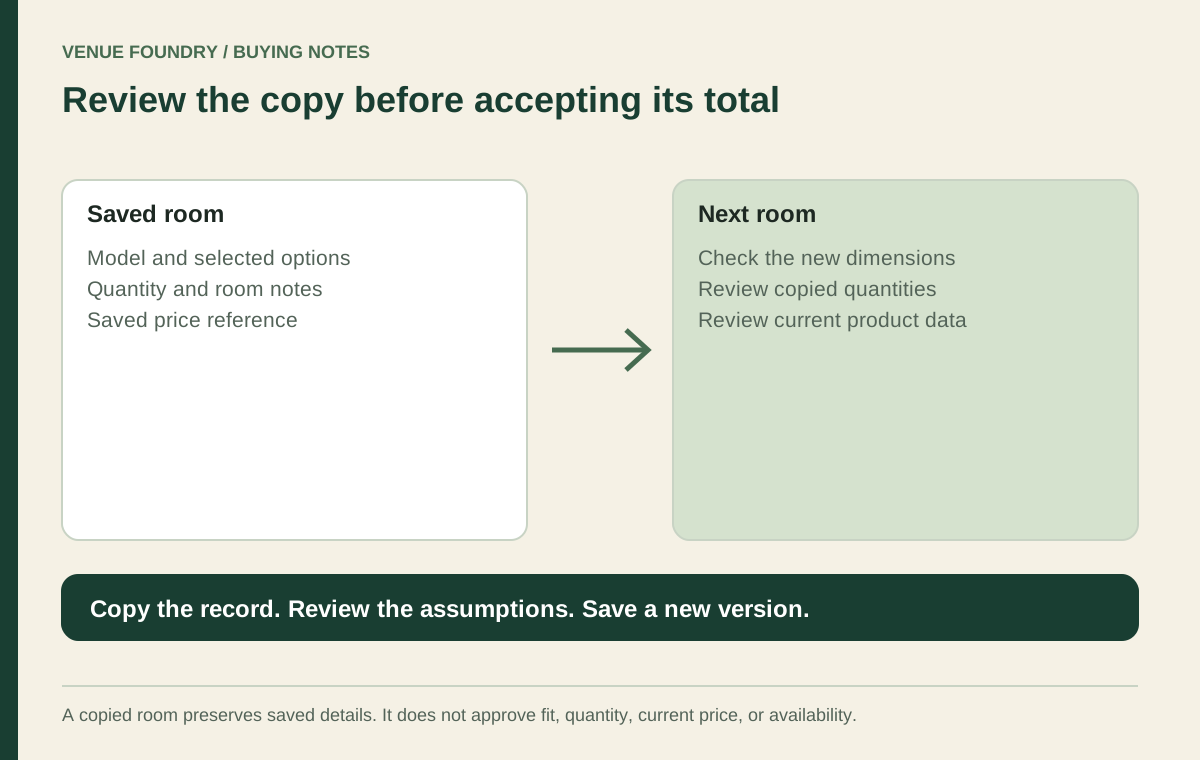
A useful handoff includes the current saved project sheet and references to any relevant samples or drawings. Retain the version date. If the product, size, or finish changes afterward, review the affected approval instead of assuming the old decision covers the new configuration.
Before the schedule moves forward, check these three points:
- Every current room has a reconciled quantity for each selected configuration.
- Product and layout questions have an answer or an explicitly pending status.
- Commercial inclusions and unconfirmed charges can be identified without reconstructing the discussion.
Review the basket as a separate stage
Saving a project does not place an order. Review current prices and options, transfer the intended selection to the basket, and compare it with the accepted schedule. Check that alternatives, spare quantities, and later phases have not entered the current purchase unintentionally.
Follow the ordering guide for the email submission process. No online payment is collected. Keep the resulting order reference with the project records, and distinguish it from the local planning version that may continue to change.
An edit to a saved project does not amend an already sent order. A requested change needs its own identifiable communication and confirmation. Use the changes and returns information to identify the terms that still need to be settled; final operating terms remain placeholders in this preview.
Prepare for receiving and the next purchase
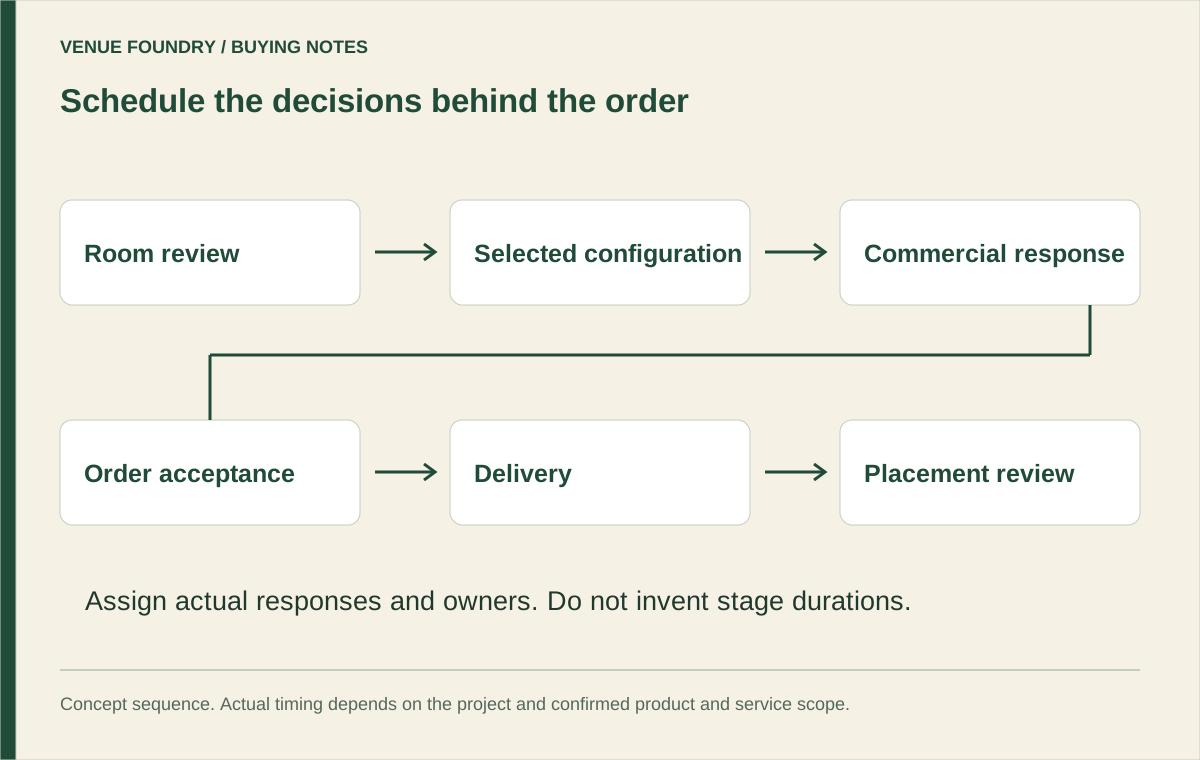
Read the delivery guide before recording the destination, access route, and receiving restrictions in your project documentation. Confirm the delivery form, packaged dimensions where relevant, and the responsibilities for unloading or placement. Requested timing remains a request until it has been confirmed.
Retain the approved product record after arrival. The chair replacement reserve method illustrates how a later condition or parts question can be connected to the exact installed version. A useful purchase file makes the next decision easier without predicting a universal service life.
The completed record should explain the furniture and the decision behind it. Room scope, configurations, quantities, approvals, and unresolved costs remain distinguishable. That is what makes a purchase review dependable: another person can follow the selection from the brief to the sent record without filling the gaps with assumptions.